2009年7月26日星期日

Problems can be hard.But it can also be easy.

A few days ago,I was helping a girl on YouTube about losing Aero theme on Vista.She left comment on my video and even sent me videos about her situation(Truthfully,I don't recognize that it was a girl's voice even I was watching and listening to the video.I think that's just a very young kid talking to me ;P)She didn't actually mentioned that if my previous video has helped her(yes,I have a video about Aero).But anyway,I replied her with another video about more solutions to get back aero but that didn't seem to help her,so she made another video showing me that my solutions didn't work...

But here comes the answer.The problem wasn't caused by the DWM thing or something like that,but just because of she lost the Aero.I mean there wasn't an "Aero" folder inside the "resources\themes",so she couldn't of course have Aero...Orz

Sometimes,problem might not be cause by any big thing,but just some very little things.This story tells me,think easy before think difficult....


2009年7月6日星期一

So good to use Dual Monitor!!


I LOVE DUAL MONITOR!!
The image above is actually a screenshot of my dual monitor.It's really fun to see the window move between Monitors .That's really cool.However,there's a little bad thing is that,the taskbar is not extended to my external monitor.In other words,I can only have the taskbar running on one monitor just like this picture.


Besides that,I have problem when trying to make my external monitor to have same colours as my notebook monitor.The reason is that,the ext monitor is actually quite old.It's a Compaq FP768A,so the colour will of course be worse.When I'm doing settings like contrast,brightness and blah blah blah,I find it really impossible to make the monitor the same.That's just like when you open a white picture on each screen,you can find that ext monitor display the colour to be a little bit yellow...

Anyway,it worth trying really.I hope I will have a chance to taste triple monitor...hehe

2009年7月2日星期四

Something wrong with YouTube HD?

OK,so can you see that there's something strange with the following image?NO?Just take a look at the video below,and you should know what I'm talking about.


2009年6月26日星期五

Microsoft's new security suite:Moron?


OK I know of course it's impossible for Microsoft to give a name like this for their products.Microsoft has recently released a new security suite called "Microsoft Security Essentials"(still in testing stage) which is used to replace it's old security suite "Windows Live Onecare",codename "Morro".Umm,if you wanna download it,sorry.That damn Microsoft had already stopped the downloading and the downloading had just been last for only 1 day!In other words,you can't get it from Microsoft,instead you need to find it on the internet by yourself,and that's just what I've done.It doesn't used up too much resources.When it's running(not scanning),it only uses about 6MB of memory,which is quite small.

R
(Running)
...And there seems no difference when it's scanning.Maybe I've looked at a wrong process,huh?

(Scanning)
Anyway,the new "Moron" antivirus is still in beta stage.I think there will be more new functions and features in the final version.Remember,Moron is a free software(or of course u can call it Freeware),and if it' powerful enough,we won't need to get other antivirus.U know,people hates paying.And if they don't wanna pay,they will get themself cracks or cracked version,however those versions may contain some nasty virus.It's that ridiculous for you to donwload an antivirus with virus in it?STUP!D.

2009年6月1日星期一

Installed Windows 7 RC!

Aha,Windows 7 RC had been released for some days,and I finally installed this piece of NEW Windows which should be similar to the RTM(Release To Manufacturer) version.The installation is just like installing Vista or Windows 7 Beta,nothing special at all.I will be uploading the installation video to YouTube so that everyone can know more about installing 7.

Still haven't got your copy of Windows 7 RC?Take a look at this video!!

2009年4月28日星期二

Answer released!+ How can I make it?

Answer Please

Remember last time I asked you guys to guess what that song is?And here is the answers!Of course,you can go to my channel to watch the videos about them(I will upload them later.),or if you prefer a text-based tutorial,fine.Just keep reading and all the things will be FINE!

That song was actually “4 Minutes” from Madonna (album:Hard Candy).

madonna-hard_candy-cover

Dude,how can you do that?

I would like to show you the original song,but I thought that is illegal,so…

Anyway,the next thing you may wanna ask is:How can I make it?Well,I actually used “Wavepad Sound Editor” .Free trial,or you can find crack yourself,do not ask me to provide you with that thing…Free download for trying out for some days,alternate to Gold Wave(a well-known audio editor)

image

Download Free Trial Version (Windows):

http://www.nch.com.au/components/wpsetup.exe

Official website:

http://www.nch.com.au/wavepad/masters.html

Supports:
  • Windows 2000/XP/2003/Vista/2008
  • For earlier Windows versions (98, ME) please click here
  • Mac OS X 10.2 or later.

How to use it?

Before you use it,you will need to install it first,of course.The installation is pretty straight forward,just consider the installation as a “next-shooting game”…lol

After you install it,open it from start menu,or desktop link,or go to c:\program files\… or %systemroot%\program files… or %programfiles% or whatever ways will do.Of course,if you find it difficult,just get some help from your friends will do.

image

As you can see,that's the working space.Pretty e-z to use,straight forward.Now,let's get started with a piece of unwanted audio or songs or records or...whatever.Drag your audio to the main working space,and it will load it for U.For me ,I used a copy of "Now or Never".

pic 1

OK,they are the names /functions of the icons and buttons.The icons that you may wanna play with is "Echo","Speed Change","Pitch Change","Reverse".Of course,the echo is to add echo to the song,so that you can make the audio like it's playing in a cavern.Speed change is used to change the speed to faster or slower.The maximum and minimum values for this option are 300 and 0.Pitch change allows you to change the melody to higher or lower.Set it to 200 for a full 8-notes rising, 50 for a full 8-notes lower.Reverse is of course reverse the whole audio or specified part.For every options,the value "100" should be the original setting.

Echo

image

Speed Change

image

Pitch Change

image

As what I mentioned before,you can choose the whole audio,or just a specified part to do modifying.

OK,so that is the easiest way to edit audio.And there is of course more options in the menu bar like Stereo Pan to make Stereo effects, High Pass Filter to make your audio to mobilephone level playing quality...all these editting are so E-Z!

After the editting,you may find the volume is smaller.That is a normal situation.You can fix it by clicking the "Normalise" button.

image

Time to show!

Oh yeah,of course you need to show you modified version and ask the people to guess what that song ,just like what I did recently...I am going to post the modified version to my Windows SkyDrive so that you can enjoy my "SUPERCALIFRAGILISTICEXPIALIDOCIOUS" skill! LOL!

Here is my version of Now or Never.Hope you "enjoy"!

Now Or Never(without stereo effect)

Now Or Never(with stereo effect)

~Coming SOON~

Actually,I have been thinking of doing editting to the songs for quite a long time,but I just don't know what should I get,and how to use it.And Wavepad Sound Editor is probably the best choice if you are seeking for E-Zusing and functional audio editor.However,it is a shareware,in other words,you will need to pay for it if you want to use it forever,but not trial.
Wanna make the songs to be stranger?Or EVEN STRANGER?Then go Wavepad!NO more hesitate! XDDDD

If you find this tutorial is too wordy,just check out my videos and watch damn and it will be OK!I've already made them,but I just don't have time to upload them...Hopefully,I will upload in this few days.

Hey guys!Here come the tuturials!Enjoy!
Part 1:


Part 2:


2009年4月16日星期四

Free Alternative to Real Player

Want to play RM and RMVB without Real Player ,but Windows Media Player,or other media player?

Everyone has got his/her own reason to hate something.For example,Mac OS X users hates Windows as they think Windows always suffers from viruses,but OS X not.Windows users hates OS X as they think having it is just for good looking,but nothing for general use.Rats hate cats as they will catch them.Fire hates water as water can stop fire.Water hates fire as fire can boil water.

...

Why I hate Real Player?
OK,in my video "Free Alternative to Real Player" I mentioned that I hate Real Player.And I think I have missed a very big reason.That is KMPlayer supports lots of media formats,but Real Player doesn't.In other words,if I use Real Player,I will need to install other media player to play other formats that RP doesn't support!You may think that's OK,but software takes spaces.If you install too many media player,you won't have enough spaces for yourself.That's STUPID.
I have other reasons.If you wanna know,go to my YouTube channel and take a look at the video called "Free Alternative to Real Player".

Real Alternative?Real Alternative!


Back to the topic.Today I will show you a program that''s good for replacing Real Player,and let other media player to support RM and RMVB.It's called "Real Alternative".

Download Link:
http://www.free-codecs.com/real_Alternative_download.htm

"- Quick and easy install
- It's easy to make an unattended installation
- Proper uninstallation
- No background processes
- Use a player of your own choice
- Low on resources
- No advertising, no registration forms, nothing annoying"


0.Before Installing...
Before a install it,I can't play that RM file with KMPlayer,but it's official site said that it CAN....
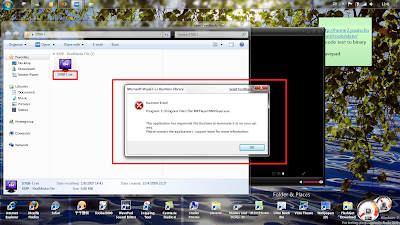


1.If you have the same problem,first go to the link that I provided earlier.

2.There,choose whatever mirror to download.The "lite" one has no Media Player inside,so if you have your own media player installed in your computer,choose lite version will be OK.
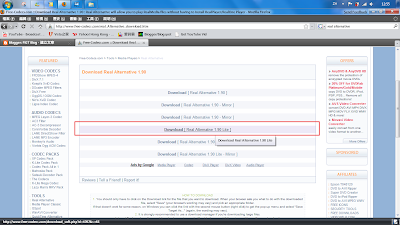

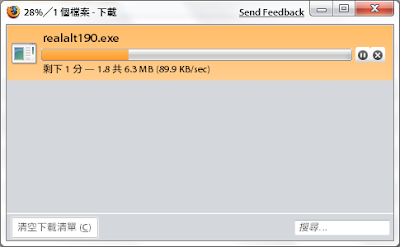
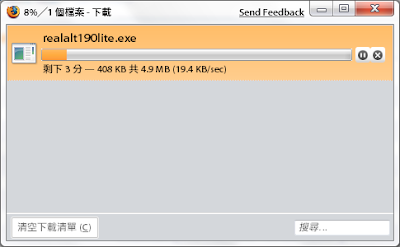
...However,the speed of downloading Lite version is much slower than normal version...(default download link)

Full version download speed = 89.9 KB/sec !!!
Lite version download speed = 19.4 KB/sec...
3.After downloading,open the installation file (of course!).
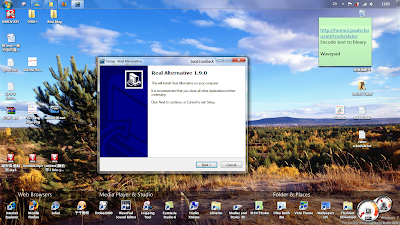

4.Click next after you finish reading it...(who will do that?)
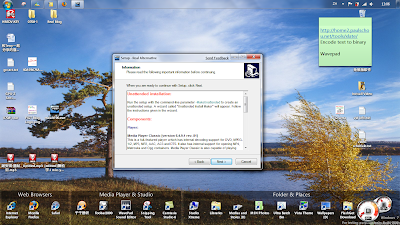
5.Here,you can change the installation directory.Hit "browse" if you wanna change it,and then click next.
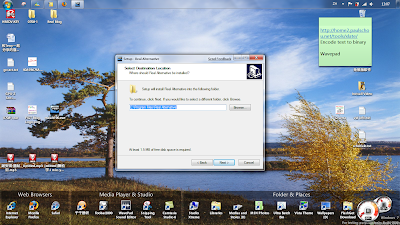

6.(forgot to take snapshot)Here,If you have your own media player installed,it will not be a must to install Media Player Classic.Untick "Player" will be OK.However,the download site mentioned:


"
The RealMedia DirectShow splitter does not work with streaming content. You must use the included Media Player Classic to play streaming content.
"

...Whatever.

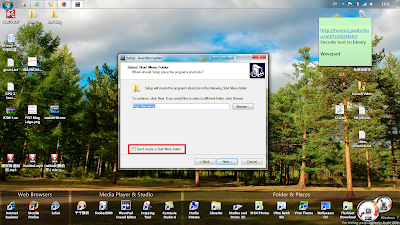
7.Next,select the start up menu folder.Again,it's not a must to create this folder.Click "Don't create a start menu folder" if you don't want it to do so.
8.(Forgot to take snapshot) Here,the first box is to make Windows Media Player the default player to open RM and RMVB and RAM files.(haven't met RAM files before.)The second box is for generating thumbnail for those real files.And the last box is to make a System restore porn(I know!).In case you failed to install it,and then suddenly some software in your computer don't work,then you can use this to restore back to the time before you install it.For me,it's not necessary.

9.Hit "Install"...
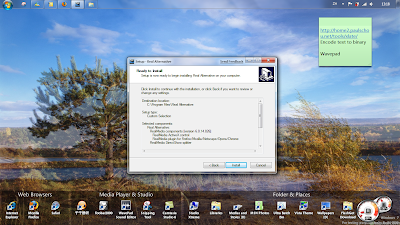
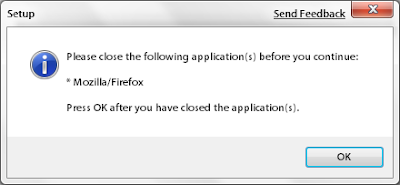
10.It may prompt you to close some program first.Just close that program(s) then it will continue.
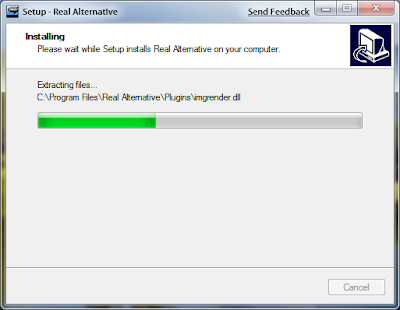
11:Installing...
12.Installation Finished!Click "Finish" then you can exit,but I decided to take a look at the settings first.
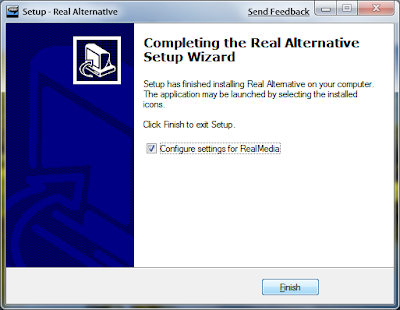
13.Here,do whatever settings that is suitable for you.
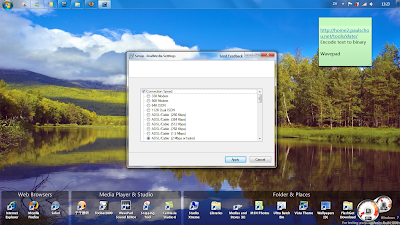
You can open this settings stuff again by going to START->run->type in the following path->press enter :

%ProgramFiles%\Real Alternative\settings.exe


13.Congratulations!You can now open RM and RMVB files with your own media player,and without Real Player!

(a Nice,Wonderful video...hehe)

Finished~
OK,the installation was finished.If you have any questions on any steps,take a look at this (mine.) video:
http://www.youtube.com/watch?v=B8PdKFdn0m4&fmt=22

Or,if you have other problems with your Windows,just leave a comment,and then I will try my best to solve the them for you!


FeliX!